GymHub: a gym management SaaS with members, schedules, and payments in one dashboard
Gym owners run their business out of three tools that don't talk: a member list in one, a class calendar in another, payments in a third. GymHub is a SaaS platform that puts all three behind one login — and, unusually for gym software, treats the member as a first-class user rather than a row in the owner's spreadsheet. Members log workouts and book classes; owners run plans, schedules, and payments; role-based access keeps each side seeing only what its job needs.
- Type
- SaaS · gym management · member app
- Stack
- Next.js · TypeScript · Tailwind CSS · ShadcnUI
- Access model
- Role-based — owner · staff · member
- Status
- Live at gym-hub-tan.vercel.app
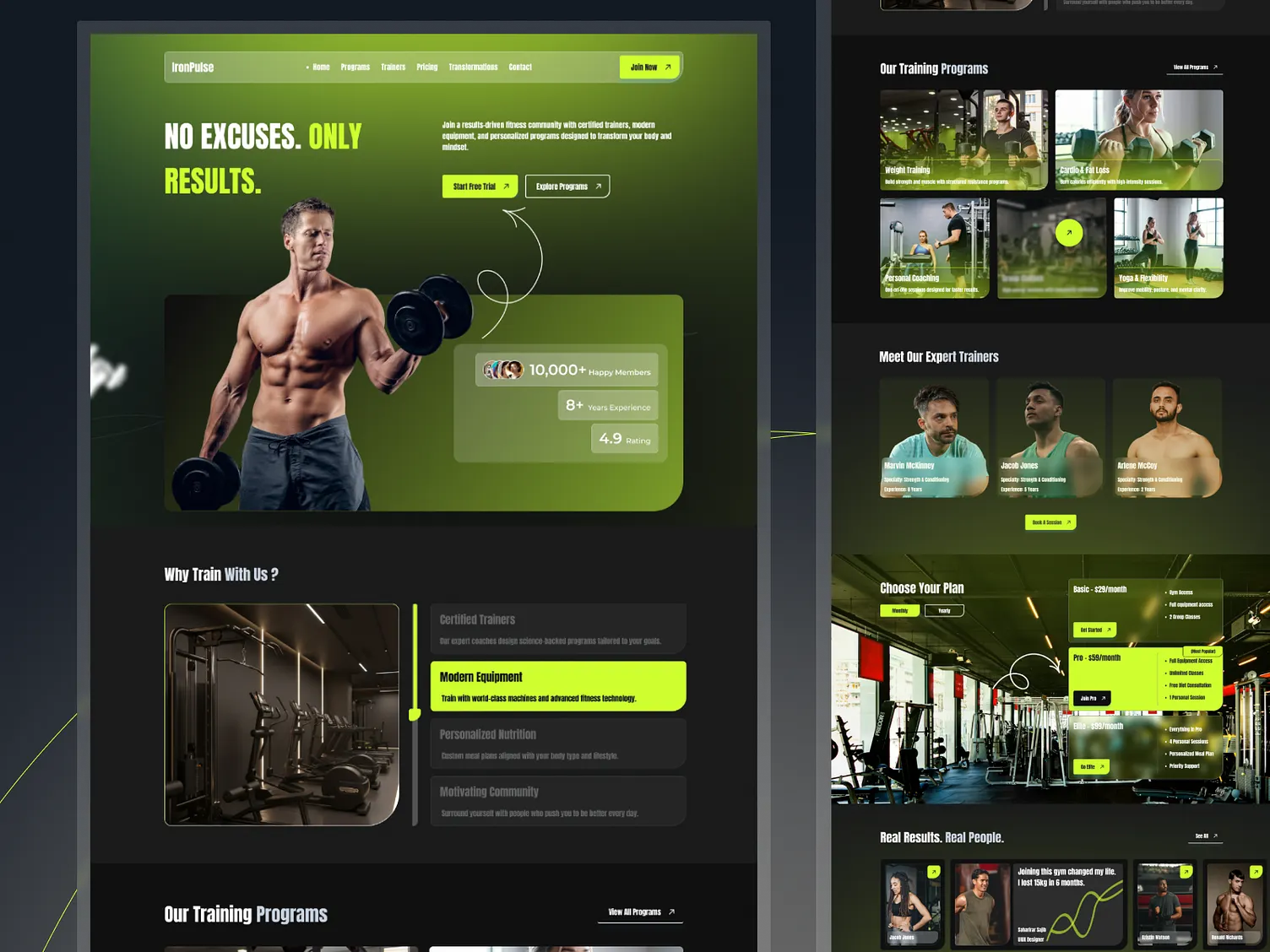
The problem: the owner is the ops team
Independent gyms rarely have an operations team. The owner is the operations team — chasing renewals, filling class slots, answering “is there space in the 6pm HIIT?” by text. Spread that across disconnected tools and you get double entry, missed renewals, and no single view of whether the business is healthy this month. The software that exists for this market tends to be either an enterprise suite priced for chains or a spreadsheet with a login page.
The other half of the problem is that members are invisible in most of that software. A gym app that only serves the front desk gives the member no reason to open it, which means no self-service bookings, no workout history, and the front desk stays the bottleneck. I wanted the member side to be good enough that people use it voluntarily — because every booking a member makes themselves is one the owner doesn't.
Two audiences behind one login
GymHub is built for members and gym owners alike, and that shapes everything after the sign-in screen. Authentication takes an email and password or a Google account, and every route past the public landing page — dashboard, classes, members, payments — redirects to login if you aren't signed in. What you see once you are depends on your role: an owner gets plans, pricing, schedules, and members; staff get check-ins and bookings; a member gets their own training, their classes, and their plan.
Role-based access is enforced in the route layer, not by hiding buttons. Hiding a button is a UX decision; refusing the request is a security one, and a gym holds enough personal data — contact details, attendance, payment status — that I didn't want the two confused. All three roles share one data model, so a class an owner schedules is the same class a member books and the same class a trainer sees on their day.
What a member actually gets
Workout tracking: log exercises, sets, and reps, and see progress as charts rather than a table — training volume over time, personal records, and how the work is distributed across muscle groups. Class booking: browse the timetable and book into Yoga, HIIT, CrossFit, or Boxing sessions led by the gym's trainers, with availability updated in real time so the calendar a member sees is the one the front desk sees. Reminders: a nudge before a booked class and when a membership is about to change.
The analytics were the part I expected to cut and didn't. A member who can watch a volume chart climb has a reason to come back to the app that has nothing to do with the gym's admin needs — and a member who opens the app books classes, which is exactly the self-service behaviour the owner wants. The product works because the two audiences' incentives line up, not because one side is told to use it.
Plans, trials, and the payment boundary
Membership is sold as three tiers — Basic, Premium, and Elite — and a new member can start on a free trial with no card required and cancel at any time. That's a product decision as much as a marketing line: the plan is a field on the membership record, and everything that depends on it reads that one field, so upgrading or downgrading is a change of record rather than a migration.
Payment processing is integrated rather than bolted on, but I keep it at arm's length by design: the membership knows its plan and its status, and the payment layer is the only thing that should ever change that status. That boundary is what lets the front desk answer “is this member active?” from the dashboard without touching payment details — and it's the boundary I'd keep if the processor were ever swapped.
Build notes
Next.js with TypeScript end to end, Tailwind CSS for layout, and ShadcnUI components re-themed to the product rather than left at library defaults — the cards, forms, and dialogs are shadcn primitives, but nothing about the result reads as a template. The typed data layer is the discipline I bring to every SaaS build: one shared set of types for members, classes, bookings, and plans, so the owner dashboard and the member view can't drift apart in what they think a “booking” is.
Scheduling actions use optimistic UI — a booking appears the instant you tap it and rolls back if the server disagrees — because a timetable that pauses for a spinner on every tap feels broken even when it's working. Role-gated routes, loading and empty states, and the redirect-to-login behaviour on every private page were built before the visual polish, because those are the parts a demo skips and a product can't.
Honest limits
GymHub is a portfolio SaaS, not a business with paying gyms on it, and I'd rather say that than imply otherwise. The public landing page shows the pitch and the plans; the working product sits behind sign-up, so a visitor has to create an account to see the dashboards. That's the right call for a product that holds member data and the wrong call for a demo, and I've chosen the product.
What I'd build next is the owner-side reporting — revenue by plan, attendance by class, churn by month — because that's the view that turns “a nicer calendar” into “I know how my gym is doing”. The bookings and plan records are where that data lives; the screens are the work still to do.